About Animal and Tool Flashcards
MANY DIFFERENT IMAGES, SOUNDS OF ANIMALS AND TOOLS, VERBAL AND TEXT DESCRIPTIONS. 15 DIFFERENT LANGUAGES. EASY TO USE. 5 DIFFERENT CATEGORIES, SLIDESHOW FEATURE. Show your child what animal makes what sound, what is the...
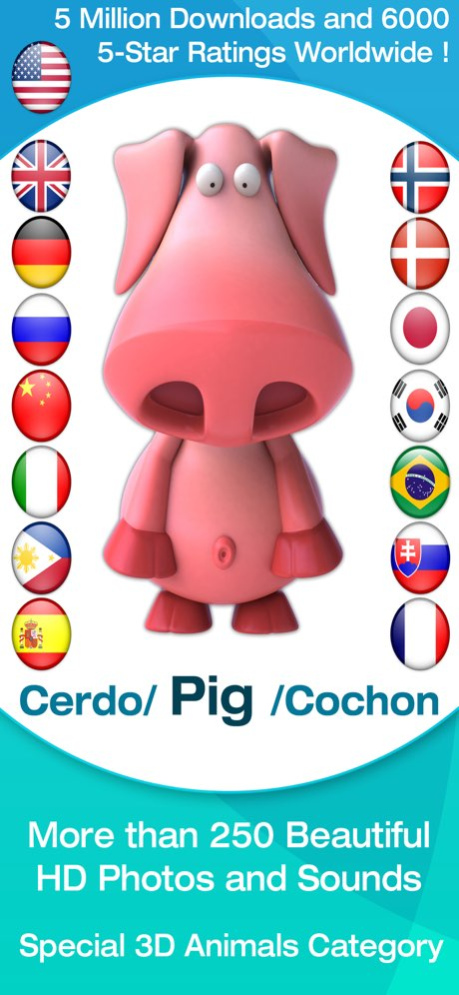
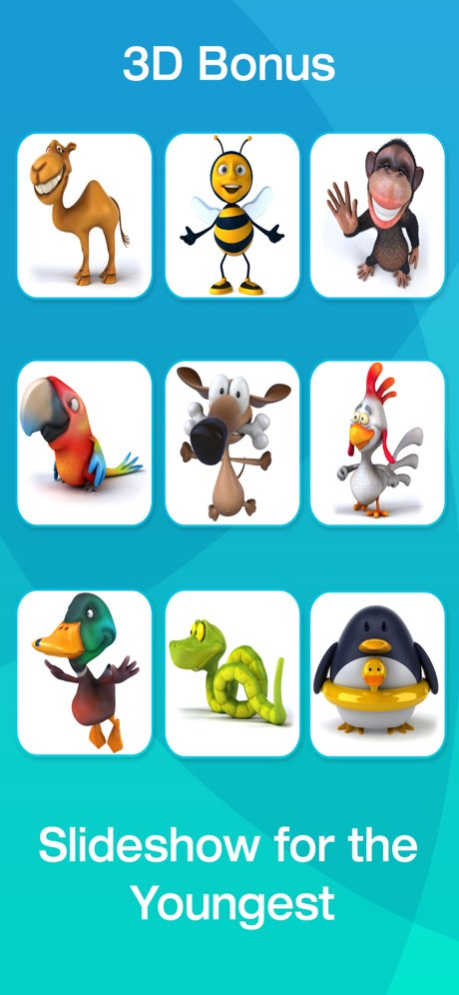
MANY DIFFERENT IMAGES, SOUNDS OF ANIMALS AND TOOLS, VERBAL AND TEXT DESCRIPTIONS. 15 DIFFERENT LANGUAGES. EASY TO USE. 5 DIFFERENT CATEGORIES, SLIDESHOW FEATURE. Show your child what animal makes what sound, what is the correct pronunciation of its name, how to say its name in foreign languages, and how to write the name. Simplicity is the key to a successful app for children. Touch the animal to see its magnified image and hear its voice, name, and written form. Touch the arrow or swipe your finger to get to the next or previous page with more animals. Run a simple slideshow for the youngest children where no cooperation is needed. You can also pick your favorite animals for your personalized slideshow. FEATURES --------- * 5 different categories: --- Animals (photos of different animals) --- Cartoon Animals (animals portrayed in cartoon form) --- Things Around Us (photos of tools, vehicles, and gadgets) --- Cartoon Things Around Us (vehicles and gadgets portrayed in cartoon form) --- 3D Bonus (animals and creatures in 3D form) --- Custom: you can put your favorite images into a special custom category * Sounds of animals and tools --- You can turn off the sounds and listen just to the verbal description. * Verbal description --- Hear the name of the animal or tool in American English, British English, German, Spanish, Russian, Chinese, Norwegian, Danish, French, Italian, Japanese, Korean, Slovak, Filipino, or Brazilian Portuguese. --- Your child can even hear the name of the animal or tool pronounced in multiple languages. --- You can also turn off the verbal description completely and listen just to the sounds of animals and tools. * Text description --- See the name of the animal or tool under the image in your preferred language or in multiple languages simultaneously. --- You can also turn off the text description completely. * In-App Purchase --- You get 6 images in every category for free. The rest of the images are available after in-app purchase. * Simple slideshow feature for the youngest children * Adjustable thumbnail count per page * No internet connection required. * No Ads.
Version History Fixed: Sounds now play even when Silent Mode is enabled. 4.3.0 Feb 3 - Face ID can be used to unlock the Parent Zone. - A “Fruits” category has been added. - The language‑count limit has been removed; more than three languages can be selected. - A timeout feature has been added for playback. 4.2.0 Jan 7 Fixes & Stability: Purchased/restored images no longer require an app restart to become accessible. 4.1.0 11/28/2025 Improved stability and fixed bugs. 4.0.0 10/31/2025 Brand new cartoon images. Two more languages added. Improved Settings window. 3.0.0 12/02/2016 New Children Lock Mechanism 2.7 04/24/2015 - Create custom category with your favorite images - Added option to let device go to sleep - Added option to close image after tap on it - Added option to go to next image in a slideshow after tap on it - Optimized for iOS 7.0 - Optimized image resolution for iPhone devices - Russian гіпопотам fixed ro Бегемот 2.6 07/25/2014 - Text description can be configured to default, lowercase, uppercase - Brazilian Portuguese added - German pronunciation for elephant fixed - Action Screen can be disabled after startup (in Settings application) - Control Bar can be locked after startup (in Settings application) - Added Parental Gate preventing kids from accessing external links - Fixed zooming issue on iOS 7 2.5 10/03/2013 minor fixes prepared for iOS 7 2.4 08/14/2013 - More 3D images. - Automatic control panel lock (your child can't change game settings by accident). - Japanese, Korean, Norwegian, Danish and British language added. - New native speakers for Russian, Italian, Spanish, German and French. - You can now listen in 3 languages at the same time. - Updated photos and cartoons. 2.3 06/11/2013 - Fixed crash when updating over version 2.0 - new animals added (photos, cartoons, 3Ds) - more friendly female english voice used - you can now use arrows to move back or forward one screen (or swipe your finger across the screen as before) - category selection bar can be configured as "always visible" - you can now hear the verbal description and see the text description in two languages simultaneously - verbal and text descriptions now also in French, Russian and Italian - photo of bee fixed 2.2 06/07/2012 - new animals added (photos, cartoons, 3Ds) - more friendly female english voice used - you can now use arrows to move back or forward one screen (or swipe your finger across the screen as before) - category selection bar can be configured as "always visible" - you can now hear the verbal description and see the text description in two languages simultaneously - verbal and text descriptions now also in French, Russian and Italian - photo of bee fixed 2.1 05/30/2012 - german and chinese verbal description added - photos of wolf and duck fixed 2.0 02/01/2012 Fix: Paid content from older versions can't be seen 1.4 12/10/2011 - Control panel can be locked so our kids can't get in there - Spanish verbal description added - Background music now playing during game - Crash on 3D penguin fixed - Some images replaced with more pretty ones 1.3 12/07/2011 Problems with sound fixed 1.2 10/03/2011 Added image verbal description 1.1 07/15/2011 1.0 06/08/2011
Previous Versions
Here you can find the changelog of Animal and Tool Flashcards since it was posted on our website on 2016-09-27 09:53:09.
The latest version is 4.3.0 and it was updated on 2026-10-07 00:17:40. See below the changes in each version.
Animal and Tool Flashcards version 4.3.0
Updated At: 2026-10-06
Changes: Version History Fixed: Sounds now play even when Silent Mode is enabled. 4.3.0 Feb 3 - Face ID can be used to unlock the Parent Zone.
- A “Fruits” category has been added.
- The language‑count limit has been removed; more than three languages can be selected.
- A timeout feature has been added for playback. 4.2.0 Jan 7 Fixes & Stability:
Purchased/restored images no longer require an app restart to become accessible. 4.1.0 11/28/2025 Improved stability and fixed bugs. 4.0.0 10/31/2025 Brand new cartoon images.
Two more languages added.
Improved Settings window. 3.0.0 12/02/2016 New Children Lock Mechanism 2.7 04/24/2015 - Create custom category with your favorite images
- Added option to let device go to sleep
- Added option to close image after tap on it
- Added option to go to next image in a slideshow after tap on it
- Optimized for iOS 7.0
- Optimized image resolution for iPhone devices
- Russian гіпопотам fixed ro Бегемот 2.6 07/25/2014 - Text description can be configured to default, lowercase, uppercase
- Brazilian Portuguese added
- German pronunciation for elephant fixed
- Action Screen can be disabled after startup (in Settings application)
- Control Bar can be locked after startup (in Settings application)
- Added Parental Gate preventing kids from accessing external links
- Fixed zooming issue on iOS 7 2.5 10/03/2013 minor fixes
prepared for iOS 7 2.4 08/14/2013 - More 3D images.
- Automatic control panel lock (your child can't change game settings by accident).
- Japanese, Korean, Norwegian, Danish and British language added.
- New native speakers for Russian, Italian, Spanish, German and French.
- You can now listen in 3 languages at the same time.
- Updated photos and cartoons. 2.3 06/11/2013 - Fixed crash when updating over version 2.0
- new animals added (photos, cartoons, 3Ds)
- more friendly female english voice used
- you can now use arrows to move back or forward one screen (or swipe your finger across the screen as before)
- category selection bar can be configured as "always visible"
- you can now hear the verbal description and see the text description in two languages simultaneously
- verbal and text descriptions now also in French, Russian and Italian
- photo of bee fixed 2.2 06/07/2012 - new animals added (photos, cartoons, 3Ds)
- more friendly female english voice used
- you can now use arrows to move back or forward one screen (or swipe your finger across the screen as before)
- category selection bar can be configured as "always visible"
- you can now hear the verbal description and see the text description in two languages simultaneously
- verbal and text descriptions now also in French, Russian and Italian
- photo of bee fixed 2.1 05/30/2012 - german and chinese verbal description added
- photos of wolf and duck fixed 2.0 02/01/2012 Fix: Paid content from older versions can't be seen 1.4 12/10/2011 - Control panel can be locked so our kids can't get in there
- Spanish verbal description added
- Background music now playing during game
- Crash on 3D penguin fixed
- Some images replaced with more pretty ones 1.3 12/07/2011 Problems with sound fixed 1.2 10/03/2011 Added image verbal description 1.1 07/15/2011 1.0 06/08/2011
Animal and Tool Flashcards version 4.3.0
Updated At: 2026-09-04
Changes: Version History Fixed: Sounds now play even when Silent Mode is enabled. 4.3.0 Feb 3 - Face ID can be used to unlock the Parent Zone.
- A “Fruits” category has been added.
- The language‑count limit has been removed; more than three languages can be selected.
- A timeout feature has been added for playback. 4.2.0 Jan 7 Fixes & Stability:
Purchased/restored images no longer require an app restart to become accessible. 4.1.0 11/28/2025 Improved stability and fixed bugs. 4.0.0 10/31/2025 This app has been updated by Apple to prepare for watchOS 27 compatibility. No new features are included.
Brand new cartoon images.
Two more languages added.
Improved Settings window. 3.0.0 12/02/2016 New Children Lock Mechanism 2.7 04/24/2015 - Create custom category with your favorite images
- Added option to let device go to sleep
- Added option to close image after tap on it
- Added option to go to next image in a slideshow after tap on it
- Optimized for iOS 7.0
- Optimized image resolution for iPhone devices
- Russian гіпопотам fixed ro Бегемот 2.6 07/25/2014 - Text description can be configured to default, lowercase, uppercase
- Brazilian Portuguese added
- German pronunciation for elephant fixed
- Action Screen can be disabled after startup (in Settings application)
- Control Bar can be locked after startup (in Settings application)
- Added Parental Gate preventing kids from accessing external links
- Fixed zooming issue on iOS 7 2.5 10/03/2013 minor fixes
prepared for iOS 7 2.4 08/14/2013 - More 3D images.
- Automatic control panel lock (your child can't change game settings by accident).
- Japanese, Korean, Norwegian, Danish and British language added.
- New native speakers for Russian, Italian, Spanish, German and French.
- You can now listen in 3 languages at the same time.
- Updated photos and cartoons. 2.3 06/11/2013 - Fixed crash when updating over version 2.0
- new animals added (photos, cartoons, 3Ds)
- more friendly female english voice used
- you can now use arrows to move back or forward one screen (or swipe your finger across the screen as before)
- category selection bar can be configured as "always visible"
- you can now hear the verbal description and see the text description in two languages simultaneously
- verbal and text descriptions now also in French, Russian and Italian
- photo of bee fixed 2.2 06/07/2012 - new animals added (photos, cartoons, 3Ds)
- more friendly female english voice used
- you can now use arrows to move back or forward one screen (or swipe your finger across the screen as before)
- category selection bar can be configured as "always visible"
- you can now hear the verbal description and see the text description in two languages simultaneously
- verbal and text descriptions now also in French, Russian and Italian
- photo of bee fixed 2.1 05/30/2012 - german and chinese verbal description added
- photos of wolf and duck fixed 2.0 02/01/2012 Fix: Paid content from older versions can't be seen 1.4 12/10/2011 - Control panel can be locked so our kids can't get in there
- Spanish verbal description added
- Background music now playing during game
- Crash on 3D penguin fixed
- Some images replaced with more pretty ones 1.3 12/07/2011 Problems with sound fixed 1.2 10/03/2011 Added image verbal description 1.1 07/15/2011 1.0 06/08/2011
Animal and Tool Flashcards version 4.3.0
Updated At: 2026-08-23
Changes: Version History Fixed: Sounds now play even when Silent Mode is enabled. 4.3.0 Feb 3 - Face ID can be used to unlock the Parent Zone.
- A “Fruits” category has been added.
- The language‑count limit has been removed; more than three languages can be selected.
- A timeout feature has been added for playback. 4.2.0 Jan 7 Fixes & Stability:
Purchased/restored images no longer require an app restart to become accessible. 4.1.0 11/28/2025 Improved stability and fixed bugs. 4.0.0 10/31/2025 This update from Apple will improve the functionality of this app. No new features are included.
Brand new cartoon images.
Two more languages added.
Improved Settings window. 3.0.0 12/02/2016 New Children Lock Mechanism 2.7 04/24/2015 - Create custom category with your favorite images
- Added option to let device go to sleep
- Added option to close image after tap on it
- Added option to go to next image in a slideshow after tap on it
- Optimized for iOS 7.0
- Optimized image resolution for iPhone devices
- Russian гіпопотам fixed ro Бегемот 2.6 07/25/2014 - Text description can be configured to default, lowercase, uppercase
- Brazilian Portuguese added
- German pronunciation for elephant fixed
- Action Screen can be disabled after startup (in Settings application)
- Control Bar can be locked after startup (in Settings application)
- Added Parental Gate preventing kids from accessing external links
- Fixed zooming issue on iOS 7 2.5 10/03/2013 minor fixes
prepared for iOS 7 2.4 08/14/2013 - More 3D images.
- Automatic control panel lock (your child can't change game settings by accident).
- Japanese, Korean, Norwegian, Danish and British language added.
- New native speakers for Russian, Italian, Spanish, German and French.
- You can now listen in 3 languages at the same time.
- Updated photos and cartoons. 2.3 06/11/2013 - Fixed crash when updating over version 2.0
- new animals added (photos, cartoons, 3Ds)
- more friendly female english voice used
- you can now use arrows to move back or forward one screen (or swipe your finger across the screen as before)
- category selection bar can be configured as "always visible"
- you can now hear the verbal description and see the text description in two languages simultaneously
- verbal and text descriptions now also in French, Russian and Italian
- photo of bee fixed 2.2 06/07/2012 - new animals added (photos, cartoons, 3Ds)
- more friendly female english voice used
- you can now use arrows to move back or forward one screen (or swipe your finger across the screen as before)
- category selection bar can be configured as "always visible"
- you can now hear the verbal description and see the text description in two languages simultaneously
- verbal and text descriptions now also in French, Russian and Italian
- photo of bee fixed 2.1 05/30/2012 - german and chinese verbal description added
- photos of wolf and duck fixed 2.0 02/01/2012 Fix: Paid content from older versions can't be seen 1.4 12/10/2011 - Control panel can be locked so our kids can't get in there
- Spanish verbal description added
- Background music now playing during game
- Crash on 3D penguin fixed
- Some images replaced with more pretty ones 1.3 12/07/2011 Problems with sound fixed 1.2 10/03/2011 Added image verbal description 1.1 07/15/2011 1.0 06/08/2011
Animal and Tool Flashcards version 4.3.0
Updated At: 2026-02-03
Changes: Fixed: Sounds now play even when Silent Mode is enabled.
Animal and Tool Flashcards version 3.0.0
Updated At: 2016-12-02
Changes: Dec 2, 2016 Version 3.0.0
This app has been updated by Apple to display the Apple Watch app icon.
Brand new cartoon images.
Two more languages added.
Improved Settings window.
Animal and Tool Flashcards version 3.0.0
Updated At: 2016-12-02
Changes: Dec 2, 2016 Version 3.0.0
Brand new cartoon images.
Two more languages added.
Improved Settings window.
Animal and Tool Flashcards version 3.0.0
Updated At: 2016-12-02
Changes: 2 Dec 2016 Version 3.0.0
Brand new cartoon images.
Two more languages added.
Improved Settings window.
Animal and Tool Flashcards version 3.0.0
Updated At: 2016-12-02
Changes: Dec 2, 2016 Version 3.0.0
This app has been updated by Apple to use the latest Apple signing certificate.
Brand new cartoon images.
Two more languages added.
Improved Settings window.
Animal and Tool Flashcards version 2.7
Updated At: 2011-06-08
Animal and Tool Flashcards version 3.0.0
Updated At: 1970-01-01
Changes: 2016年12月2日 Version 3.0.0
Brand new cartoon images.
Two more languages added.
Improved Settings window.
Disclaimer
Official App Store Link
We do not host Animal and Tool Flashcards on our servers. We did not scan it for viruses, adware, spyware or other type of malware. This app is hosted by Apple and passed their terms and conditions to be listed there. We recommend caution when installing it.
The App Store link for Animal and Tool Flashcards is provided to you by apps112.com without any warranties, representations or guarantees of any kind, so access it at your own risk.
If you have questions regarding this particular app contact the publisher directly. For questions about the functionalities of apps112.com contact us.